How CaptureDisc Helps Scan Thin and Reflective Objects
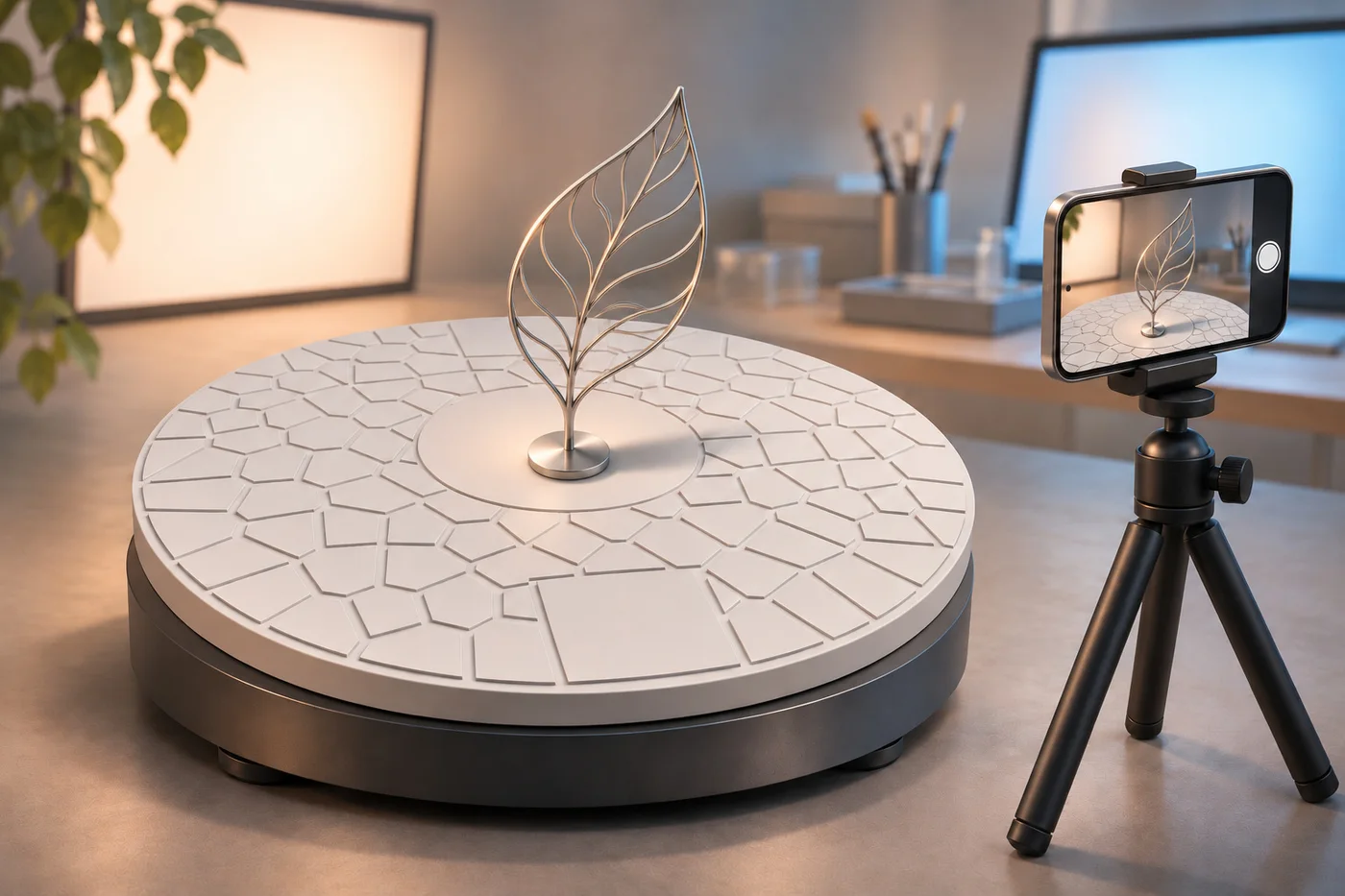
A thin metal bracket can look sharp in a video and still come out warped in a 3D scan. CaptureDisc is a patterned disc you place under an object while filming it. The pattern gives Optimal 360 a visual reference from frame to frame when the object itself is hard to track, such as when a thin edge faces the camera or a bright reflection hides a detail.

Why a sharp video can still be hard to reconstruct
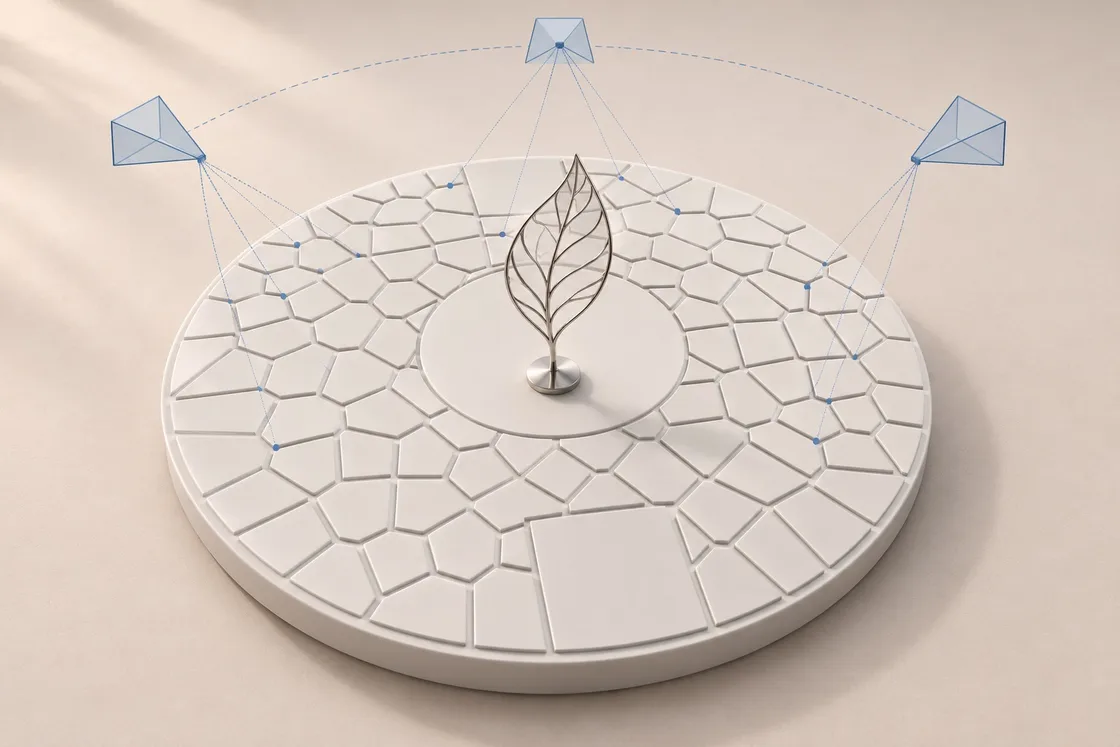
A 3D scan first needs to estimate where the camera was relative to the object and which way it was pointing in each view. These estimates are called camera poses. An edge-on bracket may appear as little more than a line. A smooth white object may fill the frame and still have few distinctive marks. On polished metal, a bright highlight can move across the surface as the view changes, so it doesn’t identify a fixed point the software can follow.
Start by looking at the recorded video, not just the 3D result. If a mounting slot goes blurry every time the part turns sideways, slow down and check focus. If a reflection covers a stamped mark, change the light. If the mark is sharp in the footage but the 3D edge still bends, check whether the disc pattern stays visible at that angle and whether you recorded enough views of the affected area. These checks give you a better starting point than repeating the same setup.

Give Optimal 360 a reference on the turntable
On a turntable, the camera and backdrop stay still while the object rotates. The stationary background can be sharp, but it does not move with the product. Once stationary background details are excluded, a thin or smooth object may provide too few matches.
Place the object on CaptureDisc and rotate them together. The disc’s known 3D pattern gives Optimal 360 fixed reference points for estimating the camera poses. 3D Gaussian Splatting (3DGS) uses those poses to line up the recorded views and reconstruct the subject’s appearance. More reliable pose estimates can improve the reconstruction, especially on a turntable, but they cannot recover surfaces the camera never saw.
The disc is passive. There’s nothing to pair or switch on, and Optimal 360 looks for it automatically in the footage. That makes disc visibility part of the shot itself. If the object fills the frame and hides the pattern, back up a little instead of trying to fix the framing later.
Set up a repeatable turntable pass
- Place the object near the center of the disc. Watch it complete a test turn before you record. An off-center object can swing toward the edge of the frame, so leave enough room for the whole object and a useful stretch of visible pattern at every angle.
- Put the camera on a steady support, focus on the subject, and keep the zoom unchanged. If you need a tighter composition, reposition the camera before recording rather than zooming mid-turn. Use a plain background that separates the object from its surroundings.
- Light the object and disc evenly. If a hard reflection wipes out a feature, soften the light or move it and watch another test turn. Check the edge-on view and the brightest angle. A setup that looks good from the front can still lose detail on the back or sides.
- Film one complete turn in roughly 30 seconds or longer. If the first pass misses a useful top or lower angle, change the camera height between passes. Keep each pass steady.
Review the footage before you move the setup. Pause at the thinnest view and check that the edge, the features you need, and enough of the pattern remain visible. If you reshoot, start by changing one thing, such as the light position or camera height. That makes it easier to tell what helped.
When to capture handheld
For objects that fit your setup, a turntable is much faster and easier to repeat, especially when you’re capturing several items. Use handheld capture if a turntable isn’t practical or if you want a particular lighting effect. Keep the object and CaptureDisc still so the light stays where you placed it, and move your camera smoothly around both. Keep a similar distance and enough of the disc pattern in the frame. Check the path before recording so you don’t have to step abruptly or tilt away from the subject.
If an important surface stays hidden, make a separate pass at a higher or lower angle. Watch for your shadow sweeping across the disc as you move.

Choose between 3D and Photo 360 after the upload
Upload the footage to Optimal 360 on the web or from the iPhone or Android app. Tilt the 3D view to inspect thin edges, holes and surfaces that were difficult to record. Then drag through Photo 360 and compare the same angles. If blur or glare is visible in the photos, fix the capture. If the photographic angles are clear but a reconstructed edge bends or flickers, Photo 360 can still give shoppers a clear walkaround because it displays recorded views rather than reconstructed geometry.
Keep a separate still for details a shopper needs to read closely, such as a stamped marking.
Look at the result on the device your shoppers use. A spin may already show how a thin bracket is shaped; a close-up can make its mounting details clearer. Only use the 3D view if it adds a useful angle without obscuring the details you want people to see.