
Introducing CaptureDisc: An Affordable 3D Scanner
CaptureDisc is an affordable 3D scanner powered by your phone. It helps improve pose estimation in tricky captures so shop owners, photographers, and creators can produce stronger 3D results without buying expensive dedicated scanning hardware.
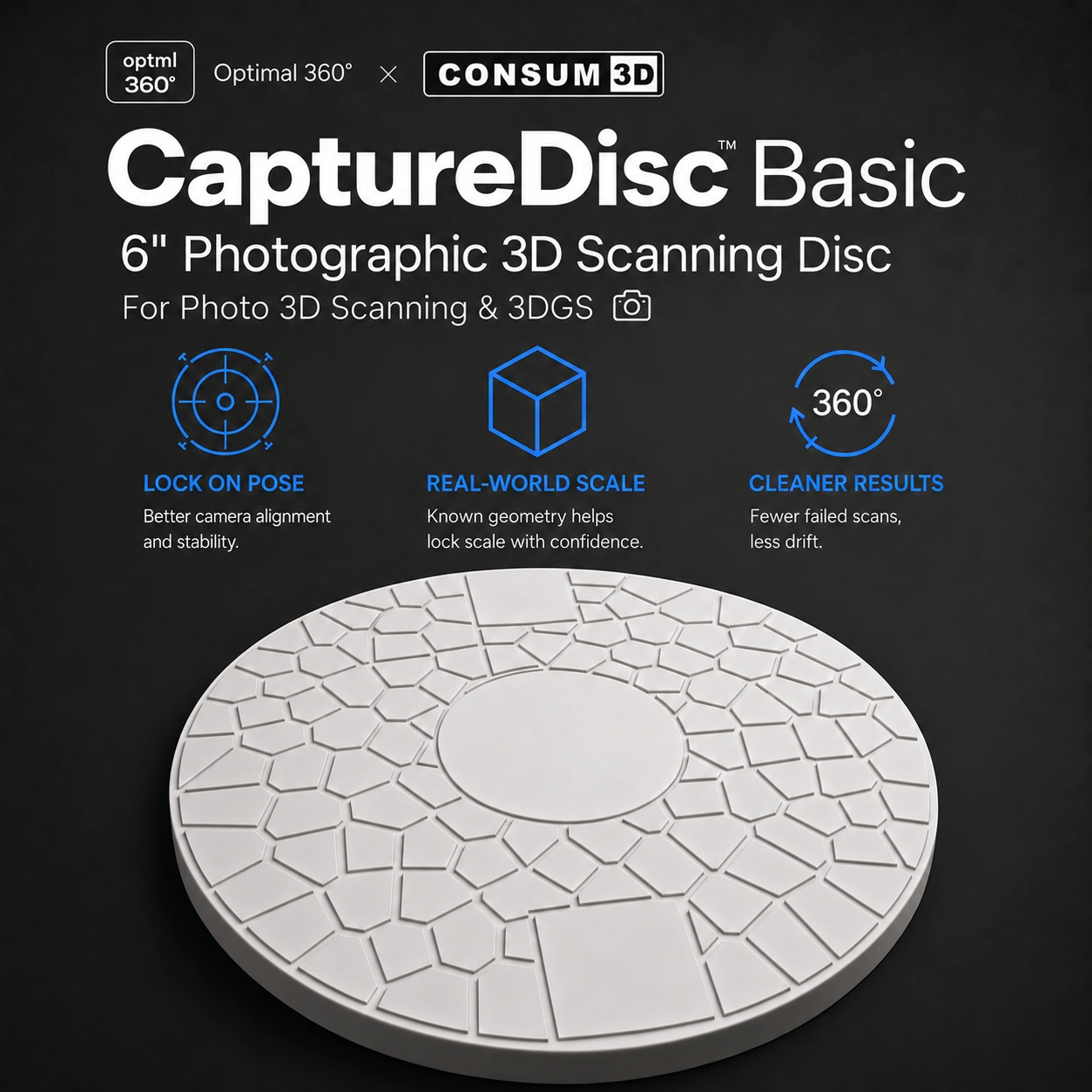
Create 3D product content with a phone or camera you already own. CaptureDisc adds a recognizable reference around the object so the software can estimate camera position and direction—known as pose—more reliably, especially in tricky turntable scenes.
The complete scanning solution combines CaptureDisc, your supported phone or camera, and the Optimal 360 capture app. There is no electronic pairing step: keep the disc visible, capture the views you need, and let the app recognize it automatically.
For hands-on product capture
Use a phone for a guided handheld capture, or place the product and CaptureDisc together on a turntable while the camera stays fixed.
For repeatable business workflows
A visible reference can help with difficult turntable scenes and improve pose estimation, which can improve the resulting 3D capture.
Two sizes available
Choose the 6-inch CaptureDisc for smaller products or the 8.5-inch CaptureDisc when you need a larger reference area.
Why a visible reference helps
A 3D capture combines many views of the same object. The software needs to estimate the camera's position and direction for every view before it can reconstruct the object.
CaptureDisc places a recognizable pattern in the scene. Keeping the full disc visible gives the capture system more stable visual information, especially when the object itself has few distinct details.

Two straightforward ways to capture
For handheld capture, keep the object and CaptureDisc still while you move the phone or camera around them. Move steadily, keep the disc in frame, and collect overlapping views from the angles you need.
For a turntable workflow, rotate the object and CaptureDisc together while the camera stays fixed. Use diffuse light, a simple background, and a slow, steady rotation—30 seconds or longer per revolution is a useful starting point.

Improve turntable results before processing
Place the product near the center, keep the entire CaptureDisc visible, lock focus and exposure when your camera allows it, and avoid hard moving shadows. These choices give the software cleaner, more consistent input.
CaptureDisc does not remove the need for good lighting or complete coverage. Reflective, transparent, very dark, or nearly featureless objects may still need careful preparation and additional viewpoints.
What works today
Optimal 360 capture apps are available for iPhone and Android. The apps recognize CaptureDisc automatically; there is no electronic pairing step.
CaptureScale View in Room is available on Android. Share a capture so someone can view it in their own space with augmented reality. iPhone support is coming soon; app capture itself is available on both platforms.
What comes next
Later in 2026, the planned CaptureScale version 3 algorithm is intended to improve scale accuracy. CaptureMesh and CaptureMatch are also planned for 2026.
Those roadmap features are not presented here as available today. CaptureDisc's current value is the visible reference it provides for pose estimation and difficult turntable captures.
CaptureDisc questions
What do I need to use CaptureDisc?
Use CaptureDisc with a supported phone or camera and the Optimal 360 capture app. The disc itself needs no charging or electronic pairing.
Do I need a professional studio?
No. A stable setup, diffuse light, a simple background, and careful coverage are more important than a specialized studio. Challenging materials can still require extra preparation.
Does CaptureDisc guarantee a specific accuracy?
No numeric accuracy is guaranteed. Results depend on the object, lighting, camera, coverage, and processing as well as the visible reference.
Start with the capture equipment you already have
CaptureDisc is designed to make phone-assisted 3D scanning and turntable capture more approachable without pretending that every object is effortless.
Use the product page for current details, then follow the capture guidance to give your first scan the best possible input.


Availability and roadmap notes
Capture apps are available on iOS and Android. CaptureScale View in Room is currently available on Android, with iPhone support coming soon. CaptureScale version 3 accuracy improvements, CaptureMesh, and CaptureMatch are planned for later in 2026.
Disclosure: CaptureDisc is an Optimal 360 product sold through the official CONSUM3D store linked above. Availability and specifications may change. The store link is not an affiliate link, and Optimal 360 receives no commission from purchases through it.